When a requestor, user needing order approval, lands on the payment page they can select from the following actions: Save Cart and Submit to my supervisor for approval.
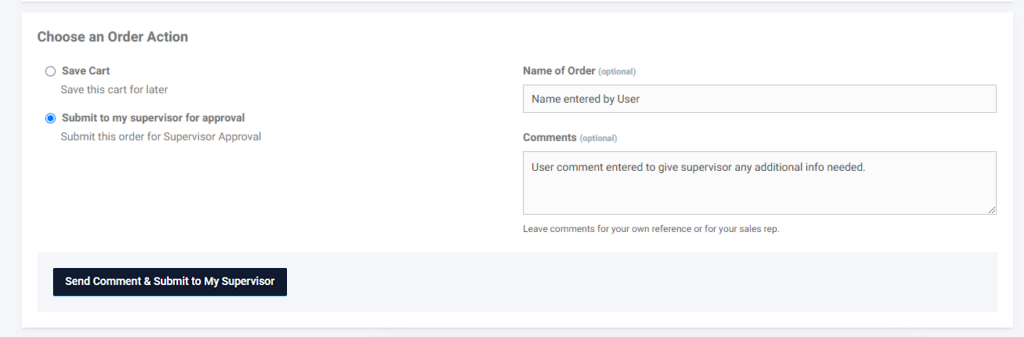
When a buyer selects the option to Submit to My Supervisor for Approval, the system will email all users with a supervisor role associated with the customer account. The supervisor can then log into the platform to either (1) send the order back to the submitter for revisions, (2) approve the order, or (3) reject the order. If the supervisor returns the order to the submitter, the buyer can make necessary modifications and resubmit the order for approval.
At each step, an email notification will be sent to keep all parties informed about any required actions or updates to the order.
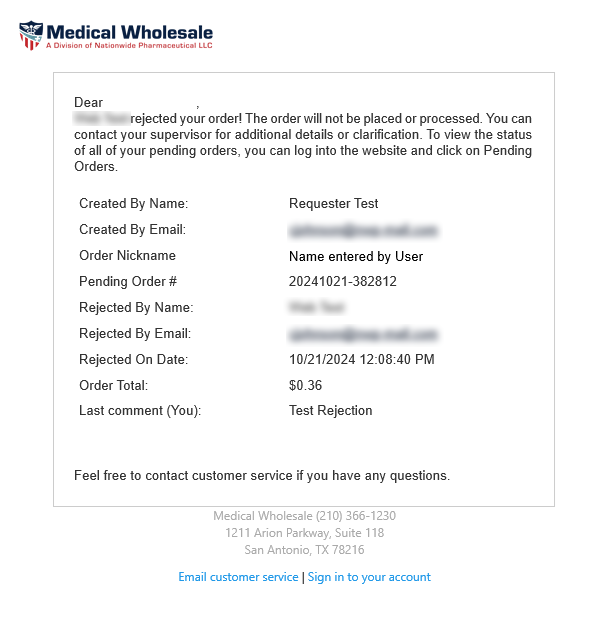
Rejected Order Email:
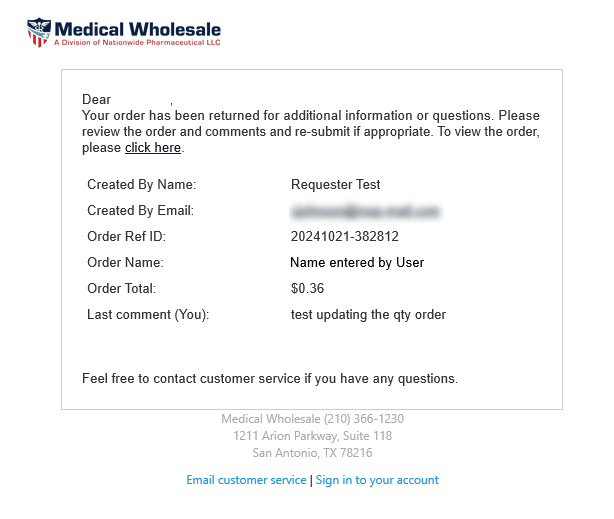
Return to Submitter Email:
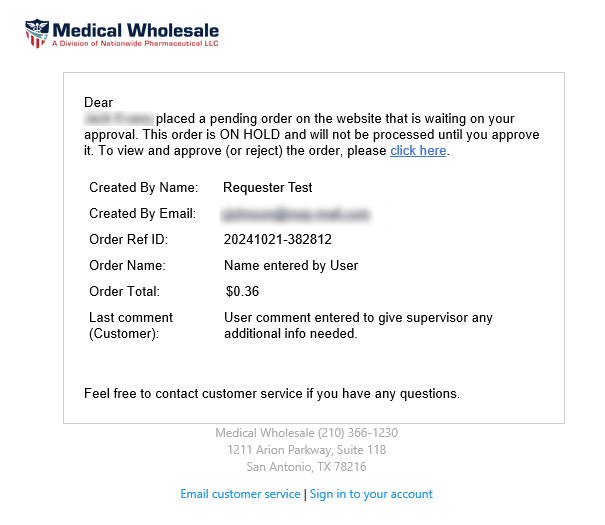
The supervisor will receive an email notification for each new pending order, with a link directing them to the platform to approve or reject an order submission. If the user has added a comment to the comment section of an order, it will also be included in the notification.
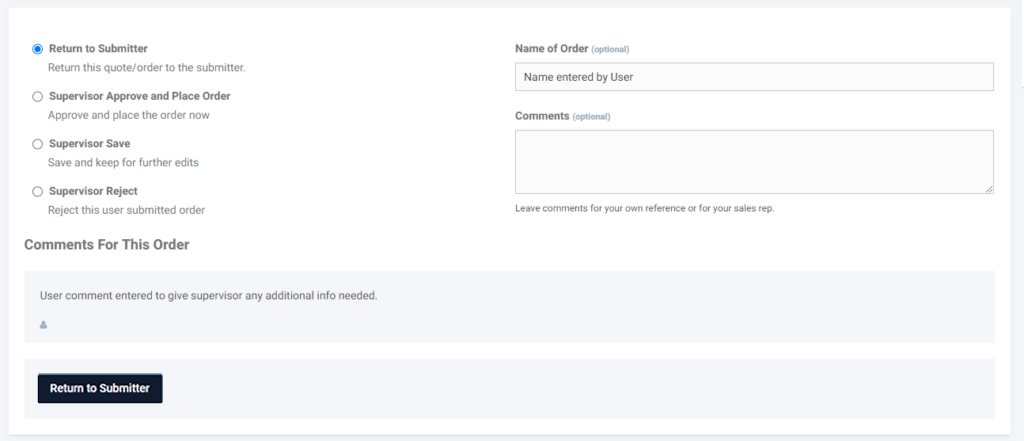
The link in the supervisor’s email will take the supervisor to the checkout page for the referenced pending order. Here the supervisor will see the following actions: Return to Submitter, Supervisor Approve and Place Order, Supervisor Save, and Supervisor Reject.
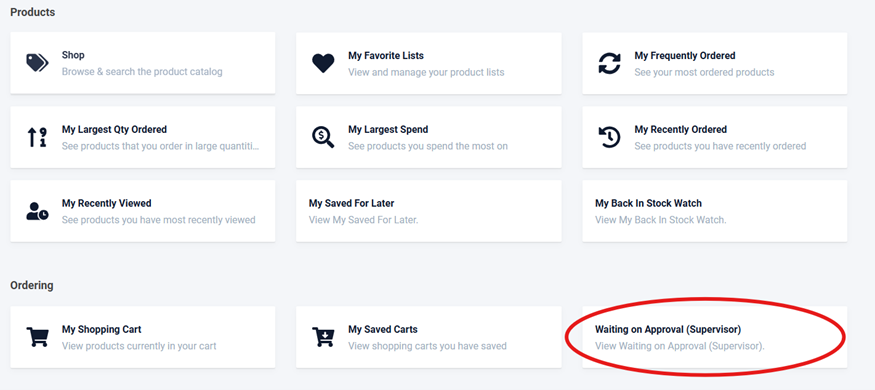
Supervisors and buyers/submitters have access to an additional navigation option, enabling them to view orders currently in the approval workflow. In the dashboard portal, you will find the Waiting on Approval (Supervisor) navigation item and portal button located under the Ordering section.
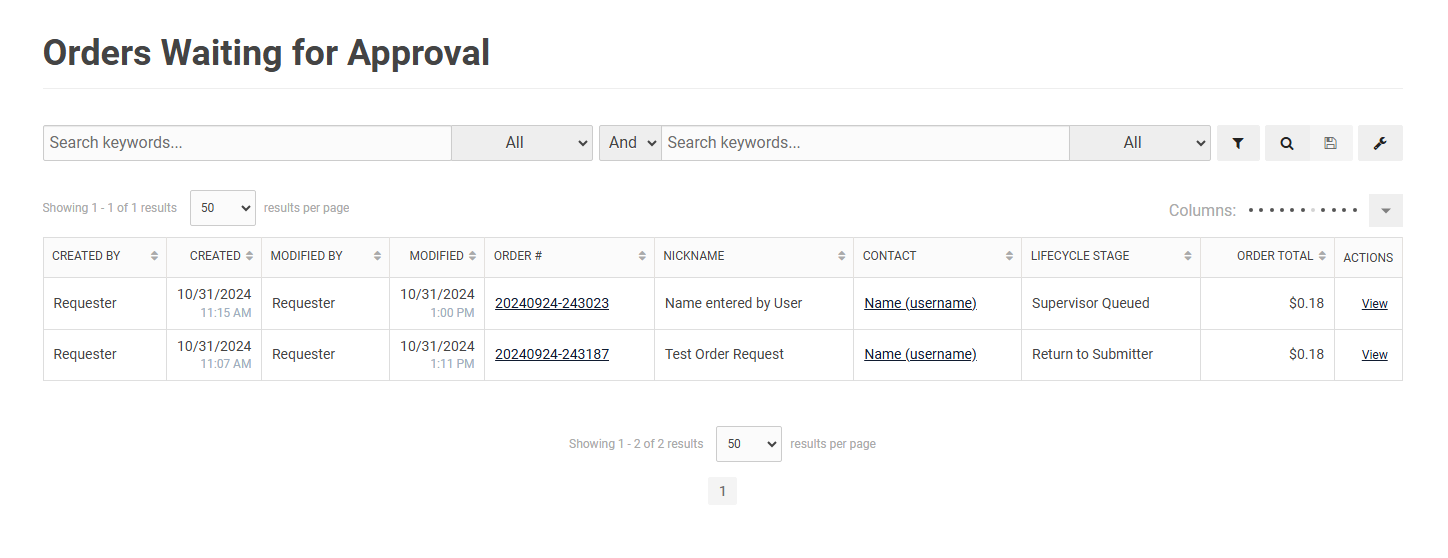
Supervisors and buyers can view a list of orders awaiting approval or requiring additional information from the respective user. The lifecycle stage displays the status of each order. By clicking the order number in the Order # column or the view link in the Actions column, users will be directed to the checkout page where they can proceed with supervisor or order submitter actions.
